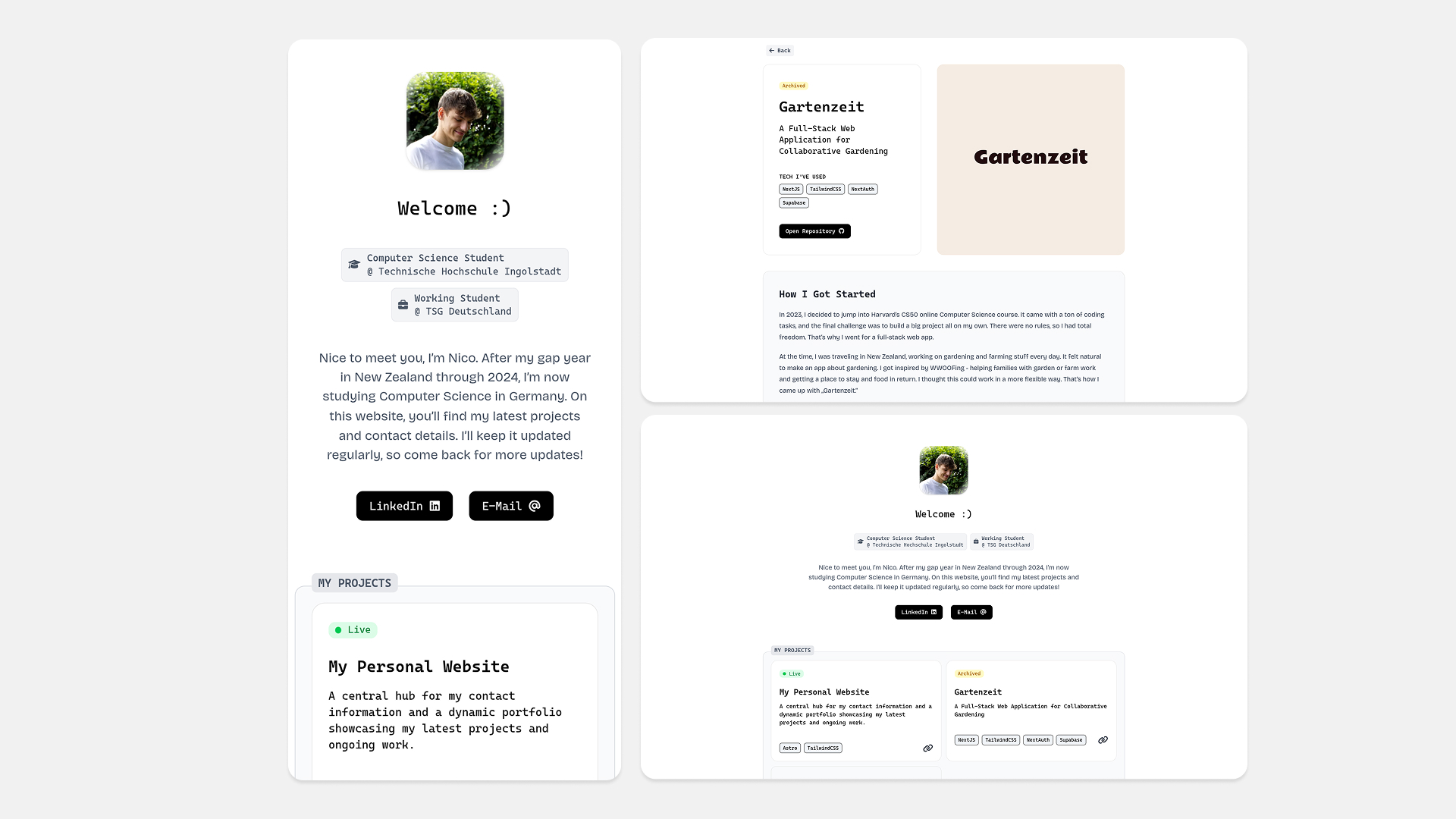
My Personal Website
A central hub for my contact information and a dynamic portfolio showcasing my latest projects and ongoing work.
TECH I'VE USED
Astro
TailwindCSS
The Motivation
For a long time, my domain only hosted a very simple landing page, which was originally intended as a temporary solution but ended up remaining unchanged for nearly two years. I wanted to change that over the summer of 2025. So, I set out to replace the single HTML page with a new landing page, this time including a project portfolio as a small extra. The purpose was simply to showcase the projects I’ve worked on so far.
Technical Decisions
From the start, it was clear that a statically generated website would be sufficient. The requirements were a simple, minimalist structure and fast loading times, without the need to track user interactions. There are many options for static site generation today. My first choice was HUGO. I tried to implement my ideas with it, which was possible to some extent, but I felt restricted in my flexibility and had hoped for a different developer experience overall.
Astro
I gave up on HUGO, searched for a better framework, and came across Astro. It was the perfect solution and exactly what I was looking for. Having worked with frameworks like NextJS and libraries like React in the past, I immediately appreciated that I could easily use reusable components without needing a frontend library. Ultimately, Astro’s speed and developer experience, thanks to its simplicity (even for beginners), won me over. Astro also gives me the flexibility to integrate frontend libraries in the future if I choose to.
In Astro, pages and components are created in .astro files and can be written as standard HTML. However, properties can be passed similarly to React, for example. Astro’s strength lies in its ability to create Content Collections, as I did for the project portfolio. After configuration, I can now place markdown files in a directory which are then automatically rendered and included in the project overview on the homepage, with each project getting its own dedicated page (like the one you’re reading now).
TailwindCSS
For styling, I avoided pre-built UI libraries and instead designed my components with TailwindCSS. I’m still a fan of Tailwind because it significantly simplifies applying CSS styles.
Conclusion
So far, I’m satisfied with the outcome I achieved with such a small tech stack. I’ve successfully implemented my vision of a minimal and practical website in its first version. Over the next few months, I’ll continue to refine the site, as there are still a few things on my list that I’d like to implement.